



















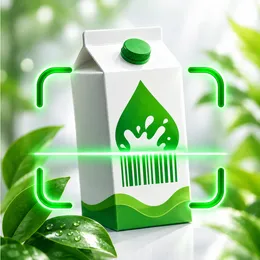
Know what’s really in your food.
Scan a barcode and HealFood gives you a simple 0–10 health score in seconds, so you can see what’s inside and choose better, without reading every label.
Dairy
Plain Greek yogurt
Excellent
- High in protein
- Low in sugar
Illustrative example, not a real product.
Everything you need to shop healthier
One scan, one clear answer, and the details behind it when you want them.
Scan any barcode
Point your iPhone camera at a product and HealFood pulls up its nutrition facts and ingredients instantly.
A clear 0–10 score
Calories, sugar, fat, salt, fiber and protein, plus flags for additives, alcohol and palm oil, boiled down to one number you can trust at a glance.
Allergen & diet alerts
Tell HealFood what you avoid, from allergens to vegan, vegetarian or gluten-free, and get a warning when a product doesn’t fit.
Healthier alternatives
See popular products from the same category that score higher, so the better choice is one tap away.
Label & Ask AI on your device
Photograph a label to score products that aren’t in the database, and ask food questions in chat. Both run on-device with Apple Intelligence.
Private scan history
Every scan is saved on your device. Search it, sort by score and export it as JSON or CSV whenever you like.
Scan. Understand. Choose better.
- 1
Scan
Open HealFood and point the camera at a barcode in the store or your kitchen.
- 2
Understand
See the health score, what raised or lowered it, and anything that clashes with your diet.
- 3
Choose better
Compare with healthier alternatives and shop with confidence.
Your food choices stay yours.
Your scan history lives on your device, and the AI features run on-device with Apple Intelligence, so your questions about food never go to a cloud chatbot.
Questions, answered
How does HealFood calculate the health score?
HealFood computes a 0–10 score from a product’s nutrition facts (calories, sugar, fat, saturated fat, salt, fiber and protein) and applies penalties for additives, alcohol and palm oil. The official Nutri-Score and NOVA group are shown separately for reference. It’s a quick guide, not medical advice.
Where does the product data come from?
Product information comes from Open Food Facts, a free, open and community-built food database. If a product is missing, HealFood can read its ingredients and nutrition table from a photo of the label on supported devices.
What do I need to use HealFood?
An iPhone running iOS 26.1 or later. The label-reading and Ask AI features additionally need a device with Apple Intelligence turned on. HealFood is an iOS app only; there is no Android version.
Is my scan history private?
Your scan history is stored locally on your device, and the AI features run on-device with Apple Intelligence rather than in the cloud.
How much does HealFood cost?
HealFood uses an App Store subscription. Current pricing and any trial options are always shown on the App Store page.
Make your next grocery run a healthier one.
Download HealFood and scan your first product today.
Download on theApp Store